October 4, 2011

Photoshop Morphing: LIBRA: A mix of Lion and Zebra

Hello everyone!
Last night, Just before I fell asleep, I suddenly thought of Zebras (don't ask me why...lol). Then as usual, linked it with Photoshop and decided to Morph it with a lion the next day.
Today, I stuck to this plan and did so.

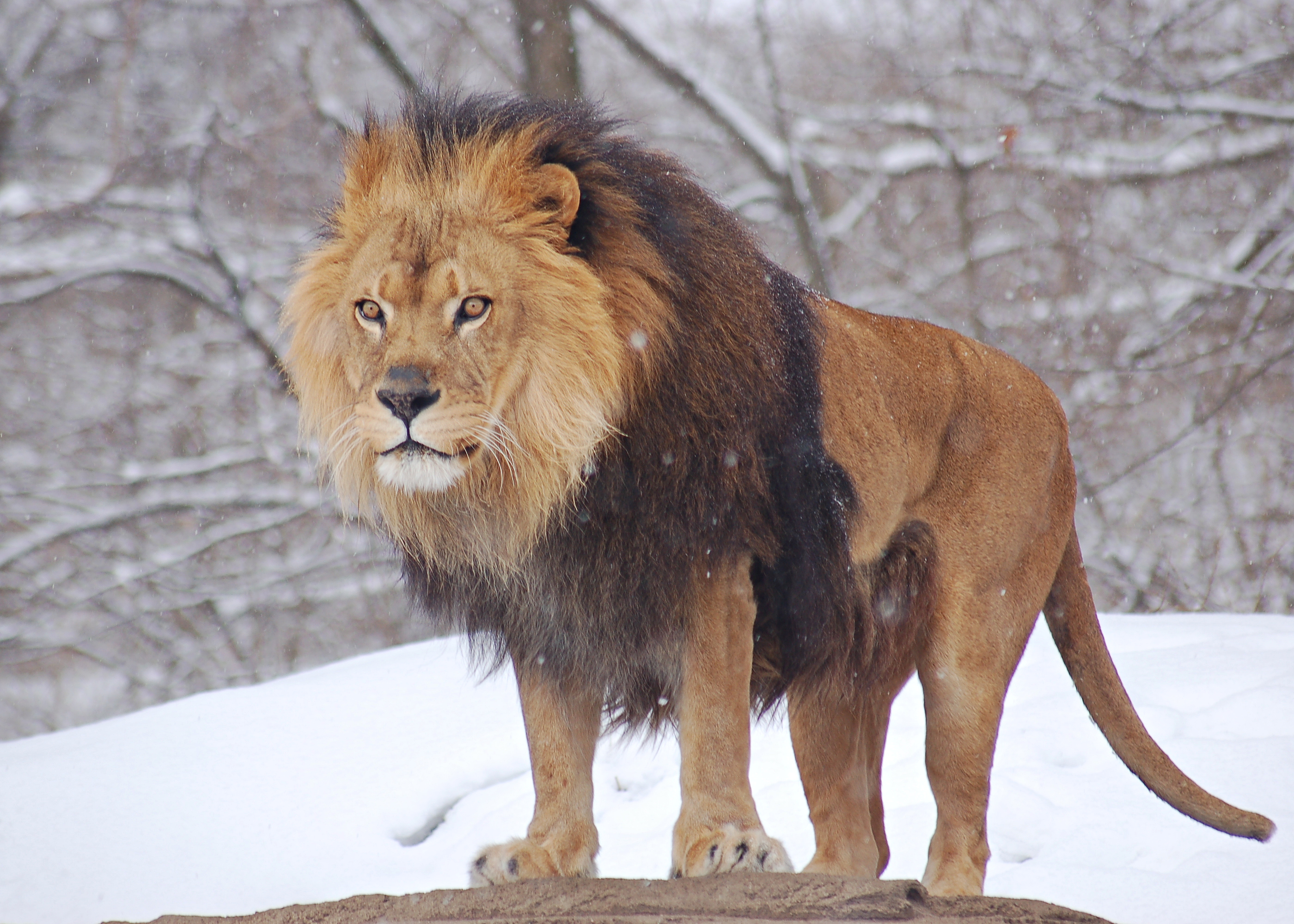
I took this image:
Image from: http://upload.wikimedia.org/wikipedia/commons/a/ae/African_Lion_Panthera_leo_Male_Pittsburgh_2800px.jpg

and this one:

...and ended up with...*drumroll*...The Libra! hehe

This one was just for kicks. 

Disclaimer: I didn't mean to offend the lions by stripping off their dignity. I hope they have a sense of humour to accept this :)

Have a great evening everyone!

October 2, 2011

Extreme Transformation of a Man with a Skin Disease using Adobe Photoshop

Hello all!

Today I will post a photo enhancement I did of a man with a skin disease...I felt very touched by the picture and did my best to make it as perfect as possible while maintaining the natural look.


I started off using the patch tool to clear out the skin, and then using selective color, I reduced the redness

Next, I enhanced the color a bit
Lastly, I brought down the hairline a bit and darkened the eye brows to complete the look. With some additional color adjustment, the man looked natural, younger and healthier :)

Here's the before and after


I truly hope that whoever this person is, has found a remedy for this skin condition and now really looks like that :)

Have a good night everyone! 


September 28, 2011

Dull to Glamourous Photoshop Transformation

Acne is no longer a problem when it comes to taking pictures. There is in fact, no need for make up at all! Photoshop does everything for you to give you the best profile picture. No matter how dull the pose or the look is, with Photoshop you can make it look glamorous.

Here is what I mean...


First, you have to analyze the photo and see what is missing and what needs to be added to it to enhance it.
We start by cleaning off the acne using the Patch Tool in Adobe Photoshop followed by a little airbrushing to even out the skin tone and texture.

Next, we adjust the brightness and contrast and using the Liquify tool, adjust the eyebrows and nose structure.
 We then add more hair by copying a portion of it from the existing hair.
 Now we adjust the color of the image to bring a nice mood to the picture.
 Voila! The picture now looks more alive.

Trust me, with Photoshop, even poop can look sexy! :)

I will be posting a video on this transformation by the end of this week.

For any inquiries and requests, email me at designaholism@gmail.com

September 26, 2011

Car Tuning Logo Designs

Hello everyone!

Today I am going to post some logo designs I did for an acquaintance for his Facebook page. His page is all about Cars Tuning, where he posts all sorts of ideas and pictures related to it.

Below are some of the designs I came up with


I tried to include the race flag and movement elements in it to support the tuning concept.
I personally like the first two from the top.
The one he went for was the first one from the top.
Let me know what you think of them!

Oh and don't forget to Like his page on Facebook! and if you haven't Liked my page yet, you can click here and do so :)
Thanks and have a great weekend! :)

September 23, 2011

Converting a Black and White image to Colored using Adobe Photoshop

Do you have really old pictures from your parents' or grandparents' times that are in Black and White and you would love to bring them to life in color? or did you get a picture snapped in black and white and now you want to have it in color?

It is very simple to achieve that in Adobe Photoshop. You can either use the Hue/Saturation tool, or use the brush tool (that's what I have used).

Below is a picture I converted to color and enhanced a bit to my liking.


You can view the video tutorial I created on it below:

If you have a picture that you need to convert to color, do not hesitate to contact me at designaholism@gmail.com

Have a great day! :)
Nooreen

September 20, 2011

5 Useful Logo Designing Tips

Okay, I am no pro here, but I have some valuable tips I can give from my own experience on things one should consider when designing a logo.

1. Concept
- This is the most important thing, depending on what you are selling. Try to reflect your company's personality in the logo. A logo does not necessarily have a product you are selling in it, you can also build your own identity in form of a certain shape, color or using logo type. For example, Apple Inc. does not sell apples, yet it has an Apple as a logo and it works very well. Just make sure the logo has the personality of your company or brand.

 
 The logo above has an eye within it, a good representation of the company name.

The Nike logo on the other hand, does not have any image of its sportswear or equipment in it, but has a single and simple swoosh on it, which effectively portrays flexibility, movement and speed in my opinion.

2. Planning
- Before you start designing, plan the basic idea out. You know what you want to show, now think of how you want to show it.
Think of a few ideas of execution in terms of design, colour etc
Write down notes/checklists and make sketches.

3. Simplicity
- Try to make your logo simple and have a point of focus on the main concept. You do not want a lot of elements present in it to confuse your client.
- Too many colours and fonts are also not necessary,
- If you do plan to use many colours. fonts or elements, place them in a way that is clear and comfortable to one's eyes.

The image above is a good example of a simple but effective logo

A good example of a colorful yet simple and meaningful logo.

4. Scalable and can be converted to Black and White.
 - A logo should be designed in such a way that when scaled to any size, it remains legible. Also note that this logo might be printed in in various places and having very fine details in it can not come out clearly when printed on different items.
- A logo should also be made in such a way that when used in black and white, it still remains legible and looks good.

5. Unique
- Remember, every product or brand should have a Unique Selling Point, something that makes it different and better from others, so why use a common design for a logo?
Make you logo unique, original and interesting. That itself will reflect on your company image.

I hope the above will be helpful to you.

One final word: Practice makes perfect, so keep practicing till you get something you like; then simplify it, clean it up and polish it!

Thanks for reading, and remember to Like my page on Facebook, and subcribe to my Youtube channel!

Nooreen
designaholism@gmail.com

September 19, 2011

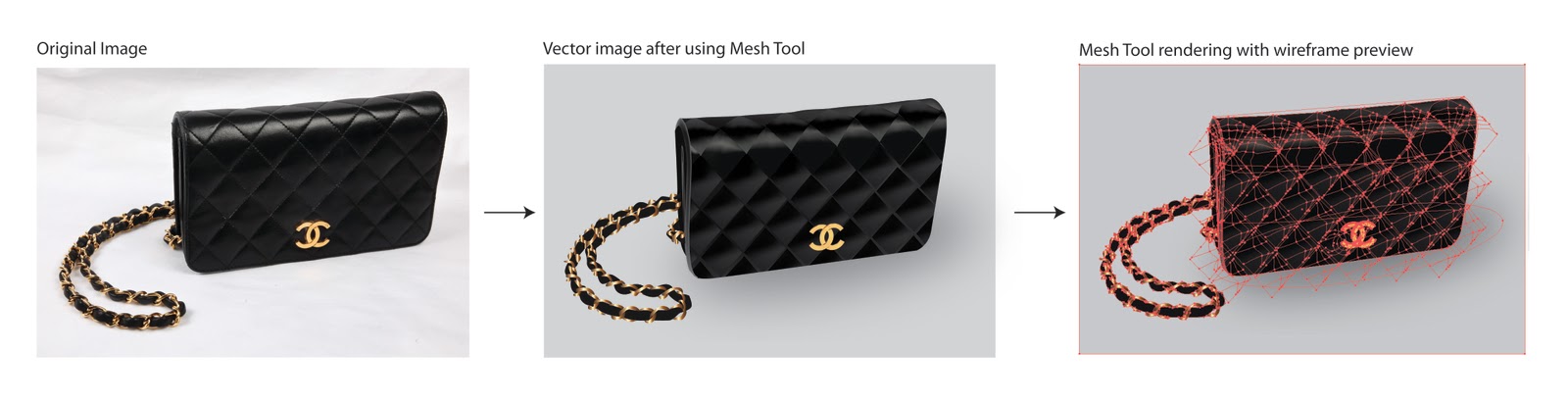
Chanel Handbag attacked by the Gradient Mesh Tool

Mesh tool has become my passion now, I love how after a frustrating period of time, something beautiful comes out of it!

Mind you, it is not always frustrating, it is usually fun, but the bag above was not easy! Too many details to look into.

It took me about 3 hours to complete it, including short breaks. It still needs some perfecting to do, but I shall stop here for the time being.

Below is the preview of the images in different forms.


Till my next post, stay inspired readers!

Search This Blog